
Host your Discord bot on your phone
Free, up to 2 bots, online even with the screen off. No server to rent.
Version 1.0.18. Android 7 or newer.
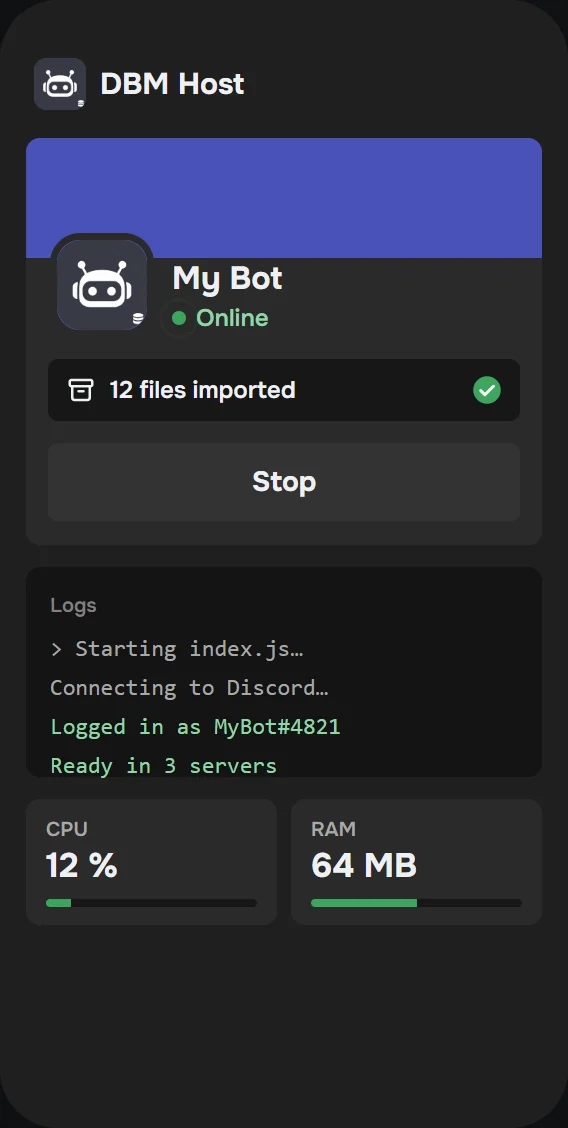
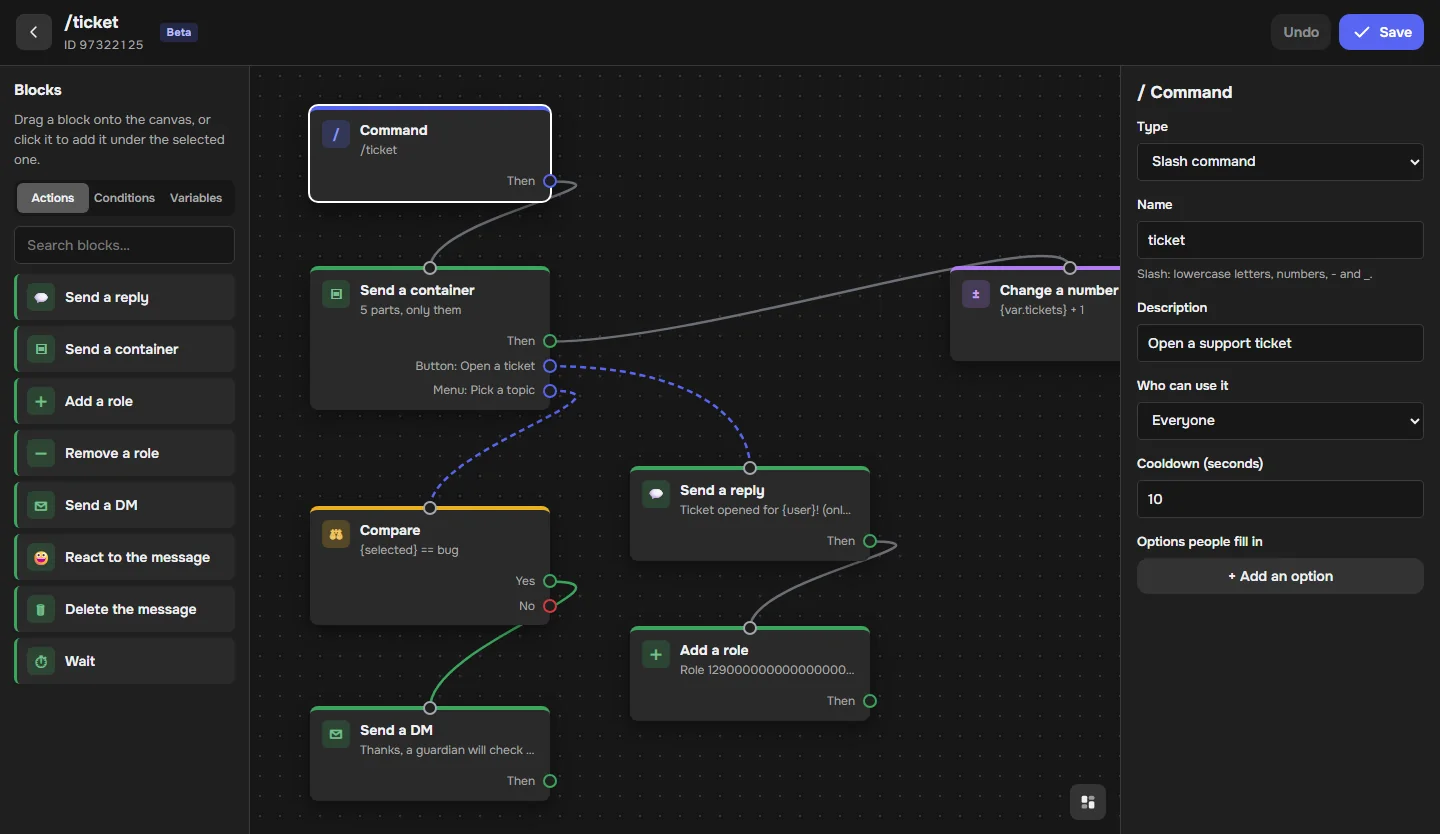
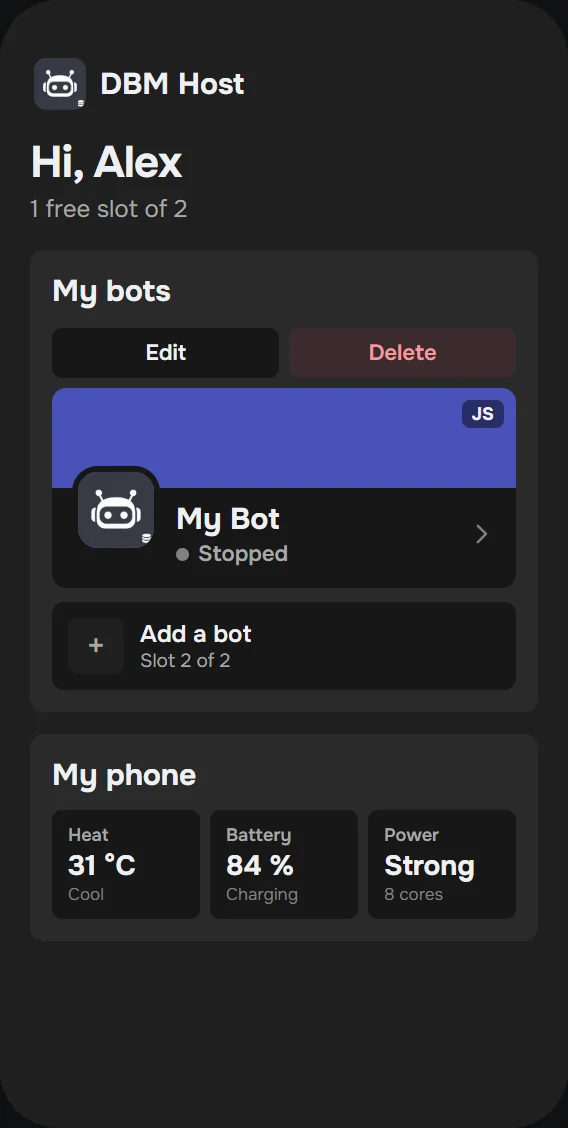
Screens of DBM Host: the app home screen with your bots and your phone health, a bot online with logs, CPU and RAM, and the Creator on the website.
- Runs on your phone
Your bot uses your phone’s RAM and CPU. No server to rent, nothing to pay.
- Stays online, screen off
Lock your phone and put it in your pocket. The bot keeps running in the background.
- Up to 2 bots
Import your bot as a .zip or file by file, and start it in one tap.
Beta
A no-code bot builder is coming
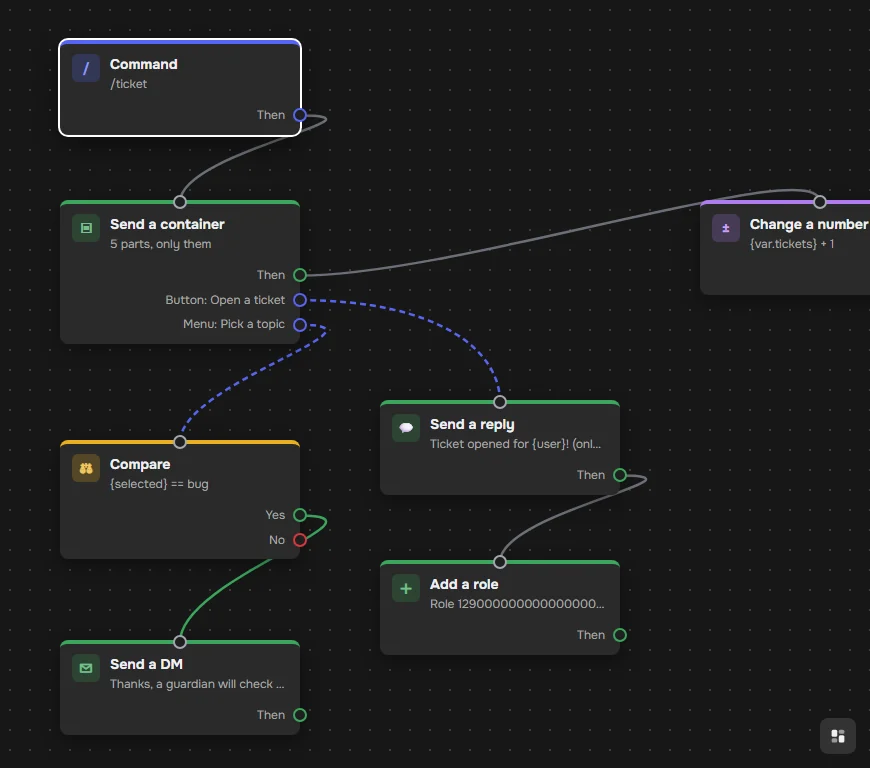
Build Discord bot commands with blocks, containers, buttons and menus. Try the Beta on the website, your phone runs the bot.
- Containers with buttons and select menus that keep working
- Replies that only the user can see
- Conditions, roles, DMs and saved variables
Your phone becomes the server
Import your bot files and press Start. DBM Host keeps it online with the screen off and shows what it is doing.
- JavaScript and Python bots
- Live logs, CPU and RAM
- Restarts on its own after a crash
Install it
- Download DisBMHost.apk on your phone.
- Open it. If Android asks, allow installing apps from your browser.
- Open DBM Host and log in with Discord.
- Allow notifications and set battery usage to Unrestricted so your bots keep running.
Why does Android show a warning?
Chrome and Android warn about every app that does not come from the Play Store. It does not mean the app has a virus.
Put your bot online today
Download the app, log in with Discord and start your bot in a few minutes.